Sharper Image Drone Instruction Manual: An Overview
Sharper Image drones, including Mach X, Glow Up, and DX-3 models, offer exciting flight experiences. This manual provides essential guidance for safe and enjoyable operation.
Sharper Image drones represent a commitment to innovative and accessible aerial technology. From the long-range capabilities of the Mach X with its panoramic video capture, to the vibrant Glow Up Stunt Drone designed for beginners, and the versatile DX-3, there’s a model for every enthusiast.
These drones feature user-friendly controls, assisted landing, and gyro stabilization, ensuring a smooth flight experience. This manual will guide you through setup, operation, and maintenance, maximizing your enjoyment while prioritizing safety and adherence to FAA regulations.
Drone Models Available
Sharper Image currently offers a diverse range of drones to suit various skill levels and preferences. The Mach X is a long-range model boasting a streaming camera and panoramic video capabilities. For beginners and those seeking agility, the Glow Up Stunt Drone provides LED-lit fun and assisted landing.
The DX-3 offers a balanced experience, while the Thunderbolt Jet X-2 focuses on stunt performance. Each model includes essential components like a remote control, USB charging cable, and replacement propellers, ensuring a complete out-of-box experience.
Unboxing and Component Identification
Sharper Image drones arrive with several key components: the drone itself, a remote controller, a USB charging cable, and spare propellers for replacements.
Package Contents – Common Elements
Upon unboxing your Sharper Image drone, expect to find a consistent set of included items across most models. These typically encompass the drone unit itself, a dedicated 2.4 GHz remote controller for precise command, and a convenient USB charging cable to replenish the drone’s power. Crucially, each package contains replacement propellers – essential for maintaining flight readiness after potential impacts or wear;
Additionally, a user manual is always included, providing detailed instructions and safety guidelines. Some models, like the Glow Up, feature a 3.7V rechargeable battery directly in the box, while others may require separate purchase. Verify all components are present before first use.
Identifying Drone Parts
Sharper Image drones share core components. The main body houses the battery, motors, and control board. Four propellers, crucial for lift and maneuverability, attach to dedicated motor mounts. LED lights, prominent on models like the Glow Up, enhance visibility. A camera, featured on the Mach X, captures aerial footage.
Locate the power switch and charging port. Understand the landing gear configuration. Familiarize yourself with the propeller guards (if equipped) for added protection. Knowing these parts aids in maintenance and safe operation, especially when replacing components like propellers.
Remote Controller Overview
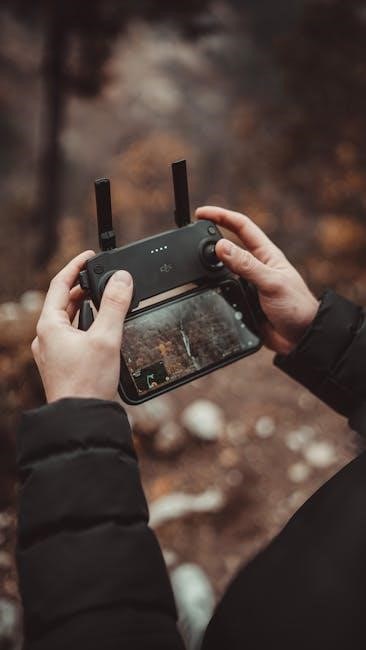
The Sharper Image remote controller is your command center. It typically features dual control sticks for flight direction and speed. Dedicated buttons initiate takeoff, landing, and hovering. Trims adjust flight stability. A USB charging cable powers the controller.
Understand the power switch location and LED indicators. The Mach X controller enables panoramic video capture. Familiarize yourself with the throttle and yaw controls. Proper remote operation is vital for safe and controlled flight, ensuring a positive drone experience.

Pre-Flight Checks and Setup
Before each flight, fully charge the battery and securely install propellers. Pair the remote control to the drone for optimal performance and control.
Battery Charging Procedures
Proper battery care is crucial for maximizing flight time and extending the lifespan of your Sharper Image drone’s power source. Utilize the provided USB charging cable to connect the battery to a suitable power adapter.
Charging times vary, but avoid overcharging, as this can damage the battery. A full charge is indicated by a change in the battery’s indicator light. Always disconnect the battery once fully charged. Store batteries in a cool, dry place when not in use, and never leave them unattended during charging.
Propeller Installation and Safety
Correct propeller installation is vital for stable flight. Sharper Image drones utilize specific propeller types for each motor position – ensure you match the correct propeller to its designated motor.
Securely attach propellers, ensuring they are firmly locked in place. Always inspect propellers for damage before each flight; replace any cracked or bent propellers immediately. Keep hands and face clear during operation, and never fly near people or obstacles. Replacement propellers are readily available.
Remote Control Pairing
Pairing the remote control to your Sharper Image drone is a crucial first step. Typically, this involves connecting the drone to a power source and then powering on the remote. Follow the drone’s specific pairing procedure, often indicated by flashing lights on both the drone and controller.
Ensure no other drones are nearby during pairing to avoid interference. A successful pairing is usually confirmed by solid lights. If pairing fails, repeat the process, consulting the manual for troubleshooting steps.
Flight Controls and Operation
Sharper Image drones utilize intuitive remote controls for takeoff, landing, hovering, and directional steering. Mastering these basics ensures a smooth and controlled flight experience.
Understanding the Remote Control Layout
The Sharper Image remote controller features clearly labeled controls for precise drone operation. Typically, left-hand sticks manage altitude and rotation, while the right controls forward/backward and left/right movement. Dedicated buttons initiate auto-takeoff and assisted landing, simplifying operation for beginners.
Familiarize yourself with the power switch, trim adjustments (for fine-tuning flight stability), and the speed control settings. Some models, like the Mach X, include buttons for panoramic video capture. Understanding each control’s function is crucial for safe and enjoyable flights.
Basic Flight Maneuvers: Takeoff, Landing, Hovering
To initiate takeoff, ensure a clear, open space. Utilize the auto-takeoff button (if equipped) or gently push both control sticks down and inwards simultaneously. For a controlled landing, slowly descend using the left stick and gently touch down. Mastering hovering requires subtle adjustments with both sticks to maintain a stable position.
Practice these maneuvers in an open area, starting with short flights. Assisted landing features, found in models like the Glow Up Stunt Drone, simplify the landing process for beginners, promoting safer operation.
Steering and Directional Control
Steering your Sharper Image drone is intuitive. The left stick controls altitude and rotation, while the right stick manages forward/backward and left/right movement. Gentle stick movements yield smoother control. Practice coordinated turns by combining stick inputs.
Some models, like the Mach X, feature auto-orientation, simplifying directional control. Understanding how the drone responds to each stick input is crucial for precise maneuvering. Begin with slow, deliberate movements to build confidence and avoid unintended flight paths.
Advanced Flight Features
Sharper Image drones boast features like Altitude Hold, Headless Mode, and Panoramic Video Capture (Mach X), enhancing flight control and creativity.
Altitude Hold Mode
Altitude Hold is a valuable feature for maintaining a consistent flight height without constant throttle adjustments. Once activated, the drone utilizes its barometer to automatically stabilize its altitude, simplifying operation, especially for beginners. This allows pilots to focus on directional control and capturing stable footage.
To engage Altitude Hold, consult your specific model’s instructions – typically involving a one-touch button on the remote. Remember that wind conditions can still affect altitude, requiring minor corrections. Practice in calm environments to master this feature and achieve smooth, steady aerial shots.
Headless Mode Operation
Headless Mode, also known as “I Don’t Know Which Way is Forward” mode, simplifies directional control by eliminating the need to worry about the drone’s nose orientation. Regardless of the drone’s heading, forward on the remote always moves the drone forward relative to the pilot.
This is incredibly useful for beginners struggling with orientation. Activate Headless Mode via the remote control (refer to your model’s guide). Be aware that the drone will still rotate, but directional movement remains intuitive. Deactivate it for standard flight control.
Panoramic Video Capture (Mach X Model)
The Sharper Image Mach X drone boasts the capability to capture stunning panoramic videos, offering a wide-angle perspective of your surroundings. Initiate panoramic mode through the drone’s app or remote control, following the on-screen prompts. The drone will automatically rotate while recording, stitching together a seamless panoramic view.
Ensure sufficient open space and stable GPS signal for optimal results. Review the captured footage within the app for editing and sharing. Experiment with different settings to achieve your desired panoramic effect.
Troubleshooting Common Issues
Sharper Image drone problems like connection failures, propeller issues, or battery concerns are addressed here. Find solutions for smooth flying experiences.
Drone Not Connecting to Remote
If your Sharper Image drone fails to connect to the remote controller, first ensure both are fully charged and have fresh batteries. Verify the remote is powered on and correctly paired with the drone – consult the ‘Remote Control Pairing’ section.
Check for interference from other wireless devices. Restart both the drone and remote. If issues persist, attempt re-pairing following the manual’s instructions. A weak signal or damaged components could also be the cause; inspect the antenna and wiring.
Propeller Issues and Replacement
Damaged propellers significantly impact flight stability. Regularly inspect your Sharper Image drone’s propellers for cracks, bends, or breaks. Replacement propellers are crucial for safe operation and are often included in the package or available for purchase separately.
Ensure correct propeller installation, matching the designated motor positions. Incorrectly fitted propellers can cause instability or even damage. Always power off the drone before replacing propellers, and handle them with care to avoid injury.
Battery Life and Charging Problems
Sharper Image drone battery life varies by model and usage. Expect approximately 5-10 minutes of flight time per charge. If experiencing significantly reduced flight times, check for battery degradation or improper charging. Use only the provided USB charging cable and avoid overcharging.
If the battery isn’t charging, verify the cable connection and power source. A faulty battery may require replacement. Proper battery storage is vital for longevity; avoid extreme temperatures.
Safety Guidelines and Regulations
FAA regulations require drone registration and adherence to airspace rules. Prioritize safe flying practices, respecting privacy and avoiding obstacles for responsible operation.
FAA Regulations for Drone Flight
Federal Aviation Administration (FAA) regulations are crucial for all drone operators. Registration with the FAA is mandatory for drones weighing over 250 grams. Always fly within visual line of sight and maintain situational awareness. Avoid flying near airports, restricted airspace, and large gatherings.
Operating a drone above 400 feet requires prior authorization. Respect privacy concerns and avoid flying over private property without permission. Familiarize yourself with the FAA’s TRUST (The Recreational UAS Safety Test) and adhere to all guidelines for responsible drone operation. Failure to comply can result in penalties.
Safe Flying Practices
Prioritize safety during every flight. Conduct a pre-flight check of the drone, propellers, and battery. Choose an open area, away from people, buildings, and obstacles. Maintain a safe distance from others and respect their privacy. Be mindful of power lines and other aerial hazards.
Avoid flying in strong winds or inclement weather. Never attempt to fly under the influence of drugs or alcohol. Always land the drone safely before the battery is critically low. Practice responsible flying to ensure a positive experience for everyone.
Weather Considerations for Drone Operation
Adverse weather significantly impacts drone performance and safety. Avoid flying in rain, snow, or fog, as moisture can damage internal components. Strong winds can cause loss of control and unpredictable flight paths; a gentle breeze is preferable.
Extreme temperatures – both hot and cold – can affect battery life and drone functionality. Visibility is crucial; ensure clear skies for optimal operation. Always check the forecast before flying and postpone if conditions are unfavorable.

Maintenance and Care
Sharper Image drones require regular cleaning, propeller checks, and proper battery storage to ensure optimal performance and longevity; Consistent care is vital!
Cleaning Your Sharper Image Drone
Regular cleaning extends the life of your Sharper Image drone. After each flight, inspect the drone for dirt and debris, especially around the propellers and motors. Use a soft, dry cloth to wipe down the body and components. Avoid using liquids or harsh chemicals, as these can damage sensitive electronics.
For stubborn dirt, lightly dampen the cloth with water, ensuring it’s not dripping wet. Pay close attention to the landing gear and any areas that may have come into contact with the ground. Inspect the propellers for cracks or damage during cleaning, and replace them if necessary. Proper cleaning ensures optimal flight performance and safety.
Propeller Maintenance
Sharper Image drone propellers are crucial for stable flight; regular maintenance is vital. Always inspect propellers for cracks, bends, or damage after each flight. Replace any damaged propellers immediately to avoid imbalance and potential crashes. Ensure propellers are securely attached before each takeoff.
Keep a supply of replacement propellers on hand – many packages include extras. Clean propellers with a soft, dry cloth. Avoid forcing propellers onto the motors; a gentle push should suffice. Proper propeller care significantly enhances flight safety and drone performance.
Battery Storage and Handling
Sharper Image drone batteries require careful storage and handling for optimal performance and longevity. Always fully charge the battery before initial use. When storing for extended periods, discharge the battery to approximately 40-50% capacity. Store batteries in a cool, dry place, away from direct sunlight and extreme temperatures.
Never leave batteries charging unattended. Avoid puncturing or crushing the battery; Use only the provided charger. Improper handling can lead to fire or damage. Follow all safety precautions outlined in the manual.

Specific Model Instructions
Sharper Image offers diverse drones like Mach X, Glow Up, and DX-3, each with unique features. Refer to the dedicated section for detailed guidance;
Sharper Image Mach X Drone Guide
The Sharper Image Mach X is a long-range drone equipped with a streaming camera and LED lights. It operates on 2.4 GHz and features auto-orientation, assisted landing, and gyro stabilization for controlled flight.
This model excels at capturing panoramic videos, enhancing your aerial photography. The package includes the drone, a remote controller, a rechargeable battery, and a USB charging cable. Before flight, ensure the battery is fully charged and propellers are securely attached. Utilize the altitude hold and headless mode for simplified operation. Remember to comply with FAA regulations for safe and legal drone usage.
Sharper Image Glow Up Stunt Drone Guide
The Sharper Image Glow Up is a mini, remote-controlled quadcopter ideal for beginners and kids. Featuring vibrant LED lights, it offers exciting stunt capabilities and assisted landing for easy operation.
Included are the drone, a wireless remote control, a USB charging cable, a 3.7V rechargeable battery, and spare propellers. Prior to flying, fully charge the battery and confirm propeller security. This drone’s compact size and simple controls make it perfect for indoor or calm outdoor environments. Always prioritize safe flying practices.
Sharper Image DX-3 Drone Guide
The Sharper Image DX-3 drone, identified by model number 2920041 and SKU 5623677, is a black and yellow quadcopter designed for recreational use. While currently unavailable new at Best Buy, understanding its operation is key.
This drone features a remote controller for precise maneuvering; Before flight, ensure proper battery installation and secure propeller attachment. Familiarize yourself with the control layout for optimal performance. User reviews indicate a 3.7-star rating, highlighting both positive and areas for improvement in flight experience.
Replacing Parts and Accessories
Sharper Image drone parts, like propellers, are available for purchase. Battery replacements and remote control accessories enhance your drone’s functionality and longevity.
Where to Find Replacement Propellers
Sharper Image drones often include extra propellers, but replacements are crucial for continued flight. Amazon.com is a primary source, listing propellers specifically for models like the Mach X and Glow Up Stunt Drone.
Smyths Toys UK also mentions included replacement propellers, suggesting they may carry them separately. Checking the Sharper Image website directly, though currently limited in stock for some models like the DX-2, is advisable.
Searching online retailers using your specific drone model number (e.g., 2920041 for the DX-2) will yield further options. Always verify compatibility before purchasing.
Battery Replacement Options
Sharper Image drones utilize rechargeable batteries, typically 3.7V, as seen with the Glow Up Stunt Drone. Finding direct replacements from Sharper Image themselves may be challenging due to stock limitations, particularly for older models like the DX-2.
Amazon.com offers various 3.7V Li-Po batteries compatible with many mini drones. When selecting a replacement, ensure voltage and connector type match the original.
Consider battery capacity (mAh) for extended flight times. Always follow safe battery handling procedures during replacement and disposal.
Remote Control Accessories
While Sharper Image drones generally include a standard remote, enhancing your control experience is possible. Consider a smartphone holder attachment for convenient FPV viewing when using drones with streaming cameras, like the Mach X.
Extra propellers are crucial, as replacements are often included in drone packages (Thunderbolt Jet X-2).
Protect your investment with a protective case for both the drone and remote during transport and storage. Explore universal remote control joystick extensions for improved precision.